Лидеры
-

-
ECUFLASH.RU
АдминистраторыБаллы1 870Постов -


Популярный контент
Показан контент с высокой репутацией за 24.05.2026 в Сообщения
-
Акция на Модуль: China ECU LINCONTROL SPC563M CAN BUS
Elmurod отреагировал ECUFLASH.RU за сообщение в теме
1 баллМодуль: China ECU LINCONTROL SPC563M CAN BUS. Примерный список поддерживаемых авто: ShenQi/T30/1.5T/LinControl SPC5634 1536kb CAN BUS Futian Xiangling/M2/1.5T/LinControl SPC5634 1536kb CAN BUS Changan/Shenqi/1.5T/LinControl SPC5634 1536kb CAN BUS Jac/T6/2.0T/LinControl SPC5634 1536kb CAN BUS DongFeng/Fengon/1.5T/LinControl SPC5634 1536kb CAN BUS Foton/M2/1.5T/LinControl SPC5634 1536kb CAN BUS Lixiang/L7/1.5T/LinControl SPC5634 1536kb CAN BUS Lixiang/L8/1.5T/LinControl SPC5634 1536kb CAN BUS Lixiang/L9/1.5T/LinControl SPC5634 1536kb CAN BUS Функции: Чтение FULL FLASH Запись FLASH (Boot App/Code/Calibrations) Чтение EEPROM Запись EEPROM Идентификация Коррекция контрольной суммы Чтение - Стирание ошибок Автоматическое определение типа ЭБУ. Цена 2000 рублей для пользователей, имеющих модуль China Module DELPHI MT62.3. Цена 3000 рублей для остальных пользователей. Софт для перепрограммирования ECU. Работает с адаптерами j2534. Для работы необходимо иметь наш usb ключ. Цена Usb ключа 2300руб. Доставка usb ключа оплачивается отдельно. Возможна доставка СДЭК, ЕМС почтой, почтой РФ 1 классом, почтой РФ. Данные цены действительны только при оплате по QR-коду, указанному ниже, при оплате банковской картой по индивидуальной ссылке +10% (комиссия robokassa) Акция продлится по 15 июня 2026 года. QR код для оплаты. Назначение платежа: покупка программного обеспечения платеж от (ваши ФИО). После оплаты пишите мне в личные сообщения, присылаете чек об оплате и пишите номер ключа для активации модуля. Тема обсуждения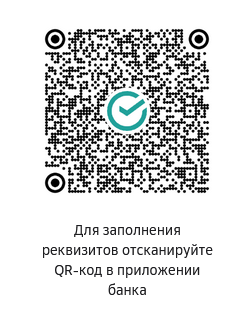 1 балл
 -
ВестаNG 23год. I862BB04 Чтение 4 мин,запись 2 мин.1 балл
-
Модуль ЭБУ M74.8/M74.8+/M74.9 ИТЕЛМА VAZ
vladimirmelgunv отреагировал ALEX за сообщение в теме
1 балля думаю вам стоит написать автору стороннего флешера и задать этот вопрос. я вам так скажу, после записи прошивки отправляется команда ресет ЭБУ, это равносильно отключению питания ЭБУ, по этому что у них там, я не знаю, пишите им. У нас нет такой статистики что-бы кто-то хоть раз завалил ЭБУ. если бы у нас был бы такой случай мы бы рассматривали его.1 балл